Google Business Profile Categories for Home-Service Companies in Phoenix and Buckeye
A practical guide for Phoenix, Buckeye, and West Valley home-service teams choosing Google Business Profile categories, services, service areas, and monthly profile updates.
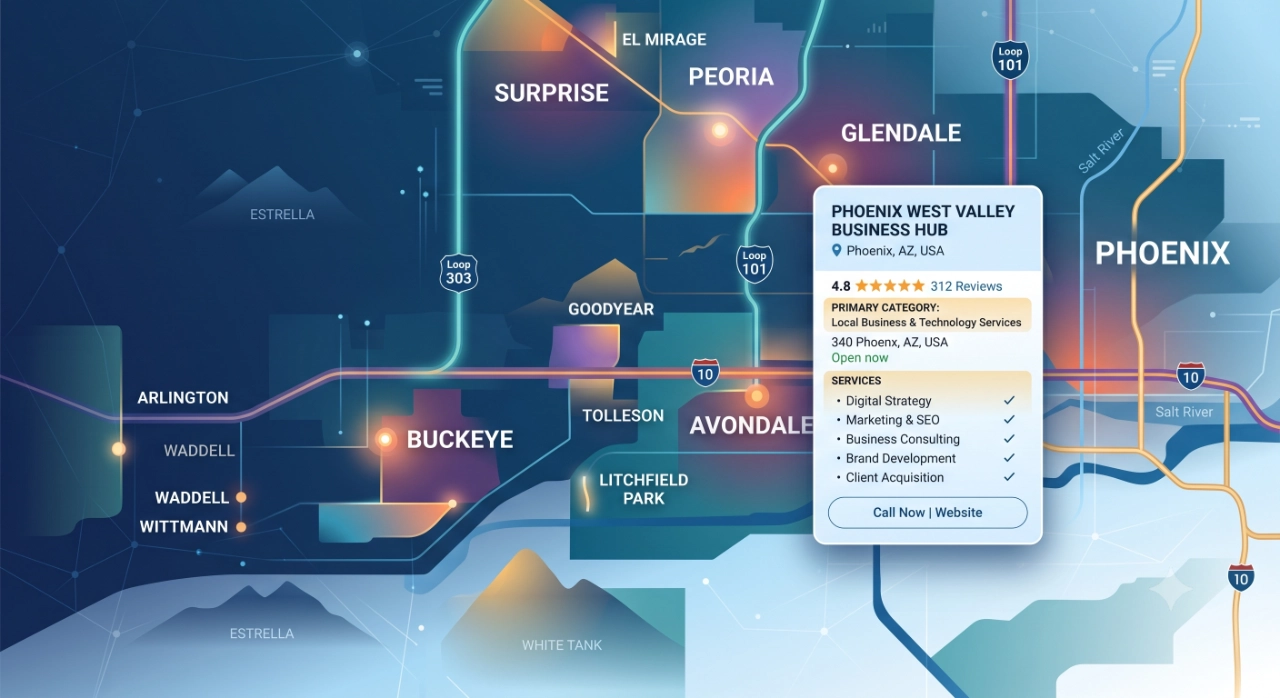
Why category and service choices affect local trust
A Google Business Profile is often the first place a Phoenix or Buckeye homeowner checks before calling a contractor. The category, services, hours, photos, reviews, service area, and website link all work together to answer one practical question: does this company actually do the job I need in my area?
Categories and services should make that answer clearer, not louder. A plumbing company in Goodyear does not build more trust by stuffing every phrase it can think of into the profile. It builds trust by choosing the closest primary category, adding useful secondary categories only when they represent real work, and keeping services specific enough for a customer to recognize the fit.
Google's profile guidance treats categories as a description of what the business is, while services describe what the business offers. That distinction matters for home-service companies. The primary category should describe the core business. The services list can carry the job-level detail, such as drain cleaning, water heater repair, pool equipment repair, AC tune-ups, irrigation repair, or recurring yard maintenance.
Pick one primary category without chasing every keyword
Start with the work that drives the business, not the phrase you hope to rank for. If most booked revenue comes from HVAC repair and replacement, the primary category should reflect the HVAC company identity. If the company is primarily a plumber, use the closest plumbing category. If the company is a pool cleaning service, do not force a broader category just because it has more search volume.
A useful test is simple: if a customer saw only the business name, primary category, and reviews, would the category set the right expectation? For a Buckeye company that handles pool routes, equipment repairs, and green pool cleanup, the primary category should match the main service line. The additional services can explain the rest.
Avoid using categories as a keyword bucket. Do not add categories for every product, tool, neighborhood, or seasonal offer. Categories should describe the business type. If Google does not offer the exact category you want, choose the closest general category and use services, the business description, photos, posts, and the website to add detail.
Use secondary categories and services when they clarify real work
Secondary categories help when the company has a genuine second line of work that customers regularly hire it to perform. A home-service company that is both a licensed electrician and a generator installer may need both categories if each service is a meaningful part of the business. A lawn care company that also provides irrigation repair may use services to explain irrigation work instead of forcing a secondary category that overstates the business.
The services editor is where most home-service detail belongs. Group services under the right category and write clear names that customers would understand: emergency AC repair, seasonal tune-up, water heater replacement, slab leak detection, pool filter cleaning, sprinkler valve repair, move-out cleaning, or pest control treatment. Keep custom services clean and useful; avoid phone numbers, prices in the name, gibberish, or repeated city keywords.
For Phoenix and West Valley service-area businesses, service names should describe the job rather than the geography. Use service areas for geography. Use services for the work. That separation keeps the profile readable and reduces the temptation to create awkward entries like Buckeye plumber water heater repair Goodyear Surprise Avondale.
Describe Phoenix and Buckeye service areas without overclaiming
Service-area businesses travel to customers, so the profile should show where the team can realistically provide service. A Buckeye-based contractor might serve Buckeye, Goodyear, Avondale, Surprise, Verrado, Litchfield Park, Tolleson, and parts of Phoenix. That does not mean every city within a long drive should be claimed if the company rarely books there or cannot respond quickly.
Use service areas as an operations promise. If a same-day plumbing request in Surprise would be difficult during a normal week, think carefully before making Surprise a core service area. If the team only takes larger jobs in North Phoenix but handles maintenance routes in Buckeye and Goodyear, the website and follow-up workflow should make that distinction clear.
For businesses without customer-facing storefronts, hide the address if customers do not visit that location. A service-area profile should feel legitimate without implying walk-in traffic. Accurate areas, current hours, real photos, and consistent service details are more useful than a long city list that the office cannot support.
Monthly maintenance checklist for profile hygiene
Review the primary category and secondary categories first. Ask whether they still describe the work the company wants to book this season. HVAC, pool service, pest control, roofing, plumbing, electrical, garage door, cleaning, and landscaping companies often shift emphasis by season, but the category set should not be changed casually just to chase each month's search terms.
Next, review services. Remove discontinued services, add new recurring or seasonal services, and tighten descriptions that sound generic. Check hours, holiday hours, booking links, website links, messaging settings, and service areas. Make sure the profile does not send customers to a dead form, a generic page, or an office number that goes unanswered during busy periods.
Add recent photos that prove current work: trucks, technicians, equipment, before-and-after job context, completed installs, pool routes, maintenance visits, or team photos. Review Q&A for outdated answers. Respond to new reviews. Publish a short GBP post when there is a real seasonal reason to act, such as pre-summer AC tune-ups, monsoon roof checks, pool cleanup, irrigation inspection, or maintenance-plan reminders.
What to measure after category and service updates
Do not judge a profile cleanup by whether rankings changed overnight. Measure whether the profile is helping customers understand the business and take the next step. Track calls, website clicks, direction requests when relevant, messages, bookings, form fills, and the services customers mention when they contact the office.
Watch lead quality after updates. If more calls are for work the company does not perform, the categories, services, business description, website page, or photos may be sending the wrong signal. If customers are asking whether the company serves Buckeye, Goodyear, Surprise, Avondale, or Phoenix, the service-area language may need to be clearer on both GBP and the website.
Compare profile activity with operational outcomes: missed calls, response time, booked appointments, estimate close rate, review requests sent, reviews received, and repeat-service bookings. The profile is only one part of the system. The real goal is a cleaner path from local search to a qualified conversation, a booked job, and a customer follow-up workflow that the office can maintain.
GBP post planning for this article
Use a short Google Business Profile post that invites local service businesses to review their categories, services, and service areas before seasonal demand picks up. Keep the post focused on profile hygiene, not ranking guarantees.
Suggested post copy: Phoenix and West Valley service businesses can lose trust when their Google Business Profile lists the wrong category, outdated services, or service areas the team no longer supports. Buckeye GMB helps clean up profile details so customers can quickly understand what you do, where you work, and how to take the next step. Use the native Learn more CTA.
RESOURCES
Connect GBP profile clarity with faster lead capture, routing, and follow-up for high-intent local requests.
Build profile services and follow-up around maintenance plans, repeat visits, and seasonal customer reminders.
Pair a cleaner GBP profile with responsible review requests and customer follow-up after completed work.
See how Phoenix-area service companies can connect intake, follow-up, and marketing operations.
Review your GBP categories, services, service areas, and follow-up workflow before the next demand spike.
Make the profile match the work your team actually wants.
Buckeye GMB helps Phoenix, Buckeye, and West Valley service businesses clean up Google Business Profile categories, services, service areas, and profile details before seasonal demand turns into missed opportunities.
Review Your Profile Setup